Modern homes and offices often hide a tangle of power lines and tech accessories. As devices multiply, simple cable management keeps a room neat and safe. This short guide shows practical, damage-free methods to guide cables along walls and furniture.
They recommend using noninvasive clips, adhesive channels, and protective sleeves to protect wires and walls. These solutions prevent bent cable ends and cut down on wear while keeping a desk area uncluttered.
Labeling each cord and separating power from data lines helps with quick troubleshooting. It also reduces the risk of overheating and extends the life of devices.
In sum, a few low-cost steps create a professional look and safer setup. Readers will learn easy, room-friendly ways to manage cords without drilling or marring painted surfaces.
Essential Preparation for Safe Cord Management
A quick prep step makes long-term cable management far easier and safer.
Gathering the right supplies and labeling before you start saves time and prevents damage to walls and plugs.
Implementing Effective Labeling Systems
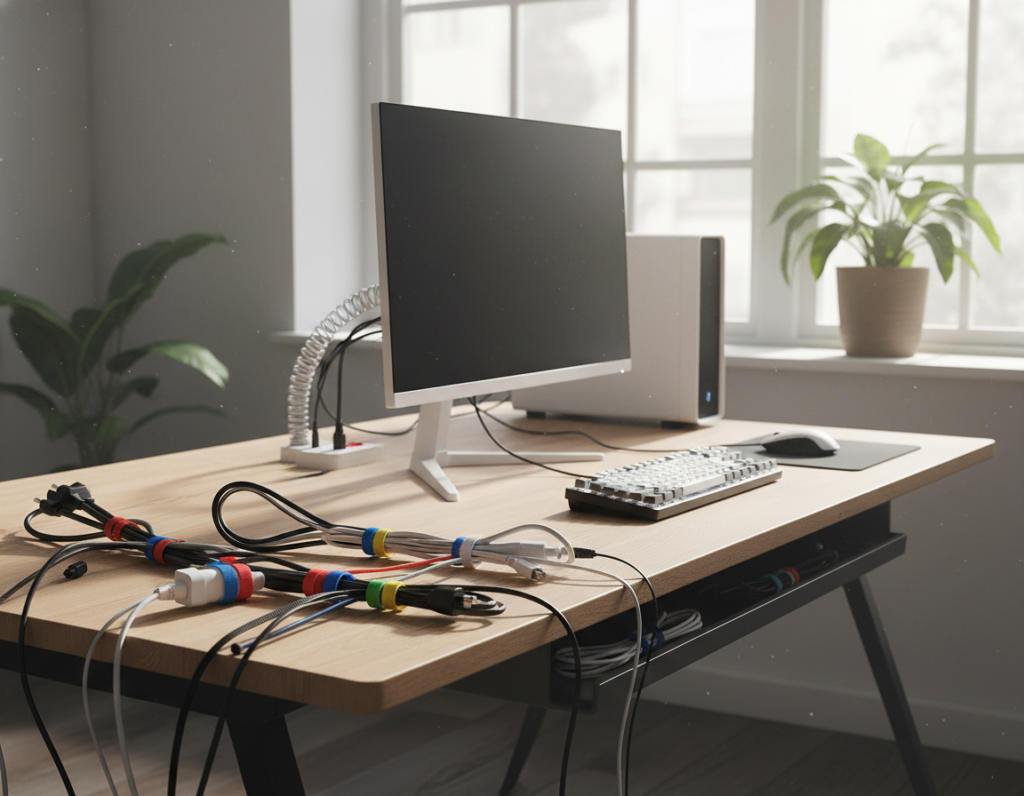
Label each cable so every power connection has a clear purpose. Use sticky cable organizer labels or colored tape to mark devices.
The Container Store sells sticky labels and colored zip ties that simplify identification. A labeled power strip lets someone move a device to another outlet without unplugging everything.
Choosing the Right Cable Ties
Pick ties by type and size. Colored ties work well to group similar cords and to mark individual device families.
- Use adjustable ties for mixed bundles.
- Assign colors by device type to speed troubleshooting.
- Choose small ties for data cables and larger ties for thick power cables.
When supplies are selected and labeling is done, the team can route cables cleanly with minimal wall contact and no drilling. For more setup tips and sample layouts see sample labeling options.
Effective Cord Routing Ideas for Every Room
A small change to how cables run across a room can make a big visual and safety difference. Simple swaps and smart placement keep power lines tidy and reduce trip hazards.
Practical approaches:
- Run cords under a rug and secure them with electrical tape to stop shifting. For lamps set away from edges, cut a neat hole in the rug to feed the cable discreetly.
- Use wire clips along a desk leg or the back edge to keep a computer and monitor cables hidden from view.
- Choose zip ties for fixed runs and velcro ties for frequent changes, like extension cords used in an office or craft room.
“Some designers hide cables; others swap to braided cloth or a matching color to make them part of the look.”
Tip: swapping a white power cable for a black one can make a big difference on a dark desk. For step-by-step setups, consult this desk wire routing guide.
Utilizing Furniture to Conceal Power Cables
A simple bedside drawer can transform into a discreet power hub for everyday devices. Using furniture for storage keeps surfaces clear and reduces visible clutter in the room.
In-Drawer Outlet Installation
Docking Drawer in-drawer outlets make it safe and easy to hide charging gear inside a nightstand or kitchen junk drawer. Install a small outlet or power strip inside the drawer so phones, tablets, and laptops charge out of sight.
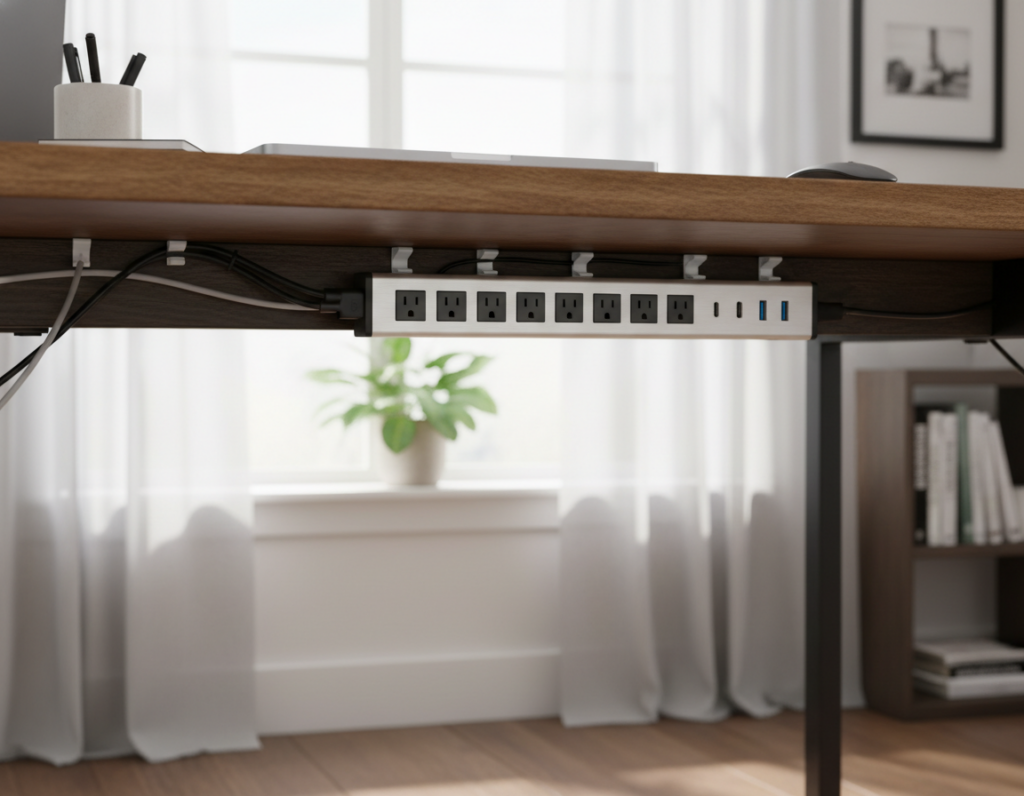
Store the power strip inside the cabinet rather than letting it hang out behind a media unit. If wires collect below a TV or desk, remove the drawer back and tuck cables and extension strips inside the cavity.
- Use command hooks along the furniture backside to elevate cords and keep them out of sight.
- Turn a vanity drawer into hot tool storage to prevent tangled power cables on the counter.
- Create a charging drawer for multiple devices to centralize charging and simplify management.
“An in-drawer outlet clears surfaces and makes charging an invisible, practical part of daily life.”
Tip: place ventilated power strips or strips with surge protection inside drawers and check manufacturer guidance for safe use. This approach extends neat storage and improves overall cable management across the home.
Creative Ways to Hide Cords Along Walls
Smart surface solutions hide wires and preserve walls in rented or finished spaces. These methods keep a room tidy without drilling and suit most home layouts.
Painting Cord Covers to Match Decor
Cord covers come in paintable plastic and can blend into trim or wall paint. Havenly designer Brady Burke suggests matching the cover to baseboards, for example Benjamin Moore Simply White. Once mounted, a quick coat seals the cover into the room’s finish.
Baseboard Routing Techniques
Use small clips or narrow staples to flatten wires along the top edge of baseboards. Then run one thin cover behind grouped cables for a cleaner sightline.
- Group TV and monitor cables behind a single strip and paint it to match walls.
- Secure runs with tape or low-profile ties before covering.
- Consider adhesive covers that stick to trim or furniture as an option.
Using Rugs for Concealment
On the floor, a rug hides low-power extension runs and prevents tripping. For a polished look, route cables under the rug edge and anchor with tape at transitions.
“Use slim covers and finishes that match your trim to make cables disappear.”
Managing Desktop and Nightstand Clutter
A tidy desk starts with simple systems that hide power supplies and free surface space.
The Cocoon Grid-It organizer mounts under a desk to keep adapters and small devices out of sight. It secures bulky power supplies and keeps cables ready for use.
Small external drives or thumb drives hold photos and video files with little fuss. Storing backups in a hard drive backpack protects devices and keeps the workspace clear.
For nightstands, drilling a neat hole in the back of a drawer routes the charger into the compartment and hides cords. A slim USB charger reduces the gap between furniture and wall.
- Use a second charger if moving a laptop often to avoid crawling under tables.
- Choose an extra-long cable to reach the bed without strain.
- Anchor runs with small ties or low-profile clips to lower visible clutter.
“A dedicated under-desk organizer and a few small changes keep charging stations tidy and ready.”
Protecting Cables with Sleeves and Boxes
Protective sleeves and tidy boxes offer a simple way to extend cable life and reduce visual clutter. They combine protection with neat storage, ideal for a busy home or office.
Cable sleeves come in interwoven plastic and braided nylon. They slip over bundles and stop bending, abrasion, and tangles. Most sleeves can be cut to size and matched to decor.
Management boxes hide a power strip, chargers, and multiple cords. Brands like The Container Store make boxes with access channels so cables stay separated and ventilated.
- A box keeps a power strip off the floor and out of sight, reducing trip risk and dust build-up.
- Sleeves protect wires for computer setups and living areas, extending the life of each cable.
- An open tray under a desk works well for messy extension runs and heavy adapters.
“Use boxes and sleeves together for a clean, protected charging station.”
IKEA storage boxes also work if you cut a rear opening for cables. These products improve organization and protect power strips and various cable types from wear and tear.
Advanced Tips for a Seamless Aesthetic
Choosing rechargeable and battery-powered fixtures lets a room stay stylish without hardwires. This prevention-first approach reduces visible cords and keeps walls intact.
Battery-operated table lamps and puck lights remove the need for frequent outlet runs. Brady Burke used puck lights to avoid hardwiring sconces through brick, keeping a room tidy and reversible.
- Swap power colors: replace white cable leads with black ones to match a dark desk or furniture and make cables less noticeable.
- Minimize appliances: reduce devices—use a French Press instead of an electric brewer to cut an extension or charger from daily use.
- Design-forward storage: build a pedestal or small enclosure that doubles as décor to conceal a router or power strip.
- Choose battery options: pick rechargeable speakers and lights to avoid floor-level wires entirely.
“He used puck lights to avoid hardwiring sconces through brick.”
These tips help management and storage choices blend with the room’s look while keeping plastic covers and visible wires to a minimum.
Conclusion
A few consistent steps make cable management simple and reliable for any home. Small habits—labeling, grouping, and hiding lines—cut clutter and improve daily use. Simple systems protect surfaces and extend device life.
Each tip serves a purpose: some protect wires, others hide connections along a wall or inside furniture. Use ties and sleeves to keep cords neat and to prevent wear on each cable.
Combine methods to match the room and your workflow. Good organization slashes chaos and keeps every cord in its place. Share a photo of your Docking Drawer setup for a chance to earn up to $500 and inspire others to try better management.